Build your first Theme Market theme: from structure to publishing
A practical walkthrough: how Zid themes are structured, local development and preview with Vitrin CLI, testing on a development store, submission and support.
How a Zid theme is structured
A Zid theme is more than a design: it is the full presentation layer of a merchant's storefront. Every theme combines three things:
- Jinja templates that map storefront routes (home, product, cart and so on) to pages.
- HTML, CSS and JavaScript assets for layout and interactions.
- JSON schemas that expose customizable settings in the Theme Editor.
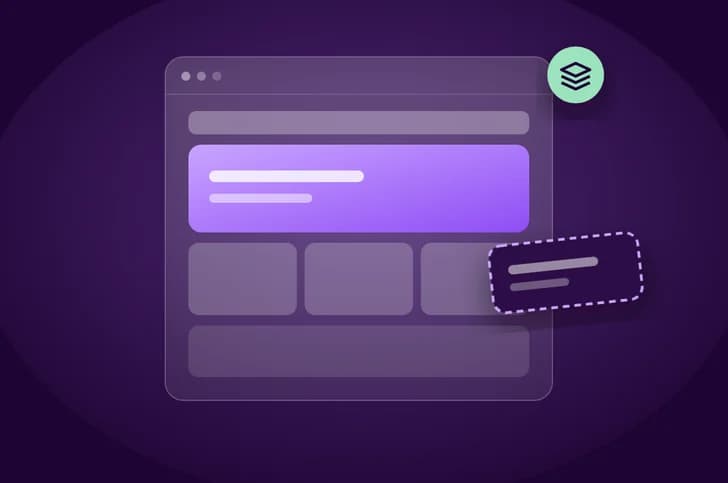
The storefront is assembled in layers. The layout defines the base HTML wrapper. Sections are the main page blocks, each with a .jinja file and a companion .schema.json. Components are reusable modules that sections consume. Assets live in assets/ and are served through Zid's CDN, and translations live in locale/ar/LC_MESSAGES/messages.po.
Ground rules before you write code
- Templates must extend your base layout with
{% extends "layout.jinja" %}. - The layout must include
{% vitrin_head %}in the head and{% vitrin_body %}in the body. - Anything you don't implement falls back to the template from Zid's default theme, so you can customize only the pages you care about.
- Don't hardcode colors, fonts or spacing in templates. Pull them from theme settings so merchants can change styles without code.
- Theme schemas must follow the JSON Schema standard.
Develop and preview locally with Vitrin CLI
Vitrin CLI lets you create, build, preview and publish themes from your own machine. Installation and the first commands, straight from the docs:
npm install -g @zidsa/vitrin-cli

vitrin login        # Authenticate with Zid
vitrin new my-theme # Create a new theme
cd my-theme
vitrin push         # Push theme to Zid
vitrin buildvalidates the structure and packages the theme as a.zip.vitrin previewpreviews the theme on a development store; add--buildto build first.vitrin listlists your themes or development stores.- Run
vitrinon its own to open the interactive TUI.
If you prefer not to use the CLI, you can upload your theme manually through the Partner Dashboard.
Test on a development store
A development store is a private store for testing your apps and themes before they go public, and it behaves like a real merchant store. Create one from the Partner Dashboard under Development Stores, then Create Store.
- Import sample products to see product cards, categories and filters render.
- Enable payment methods, shipping and promotions to test different store configurations.
- Check responsiveness on mobile, tablet and desktop, plus RTL support.
- Place a full order from cart to checkout.
- Append
/validateto your preview link to get the Theme Test tool's validation report.
To check translation files before uploading, run msgfmt --check -o output.mo input.po 2>&1. Don't upload the resulting .mo file.
Submit to the Theme Market
A public theme is listed on the Theme Market for all merchants and goes through Zid's review. A private theme is built for a specific merchant and skips review. To publish a public theme:
- In the Partner Dashboard, open My Themes, then Themes Management, and click Create New Theme.
- Enter the name, upload your ZIP, then set price, description and display info.
- Upload 3 to 9 images: desktop at 4:3 and mobile at 9:16, within the stated size limits.
- Accept the terms and conditions, then click Submit to Publish.
Your theme moves from Pending to In Review, and ends as Published or Rejected with feedback. You can't submit changes while it's In Review. Later, update a published theme from the Update Theme tab by uploading a new version and describing what changed.
Your support obligations
Zid does not offer direct merchant support for third-party themes. That responsibility rests entirely with you as the theme partner.
- Keep a valid, monitored maintainer email in the Partner Dashboard. It's the primary channel merchants use.
- Email is required; a ticket portal or support website is optional. Set them in the General Data tab or describe them in your listing.
- Merchants report issues from the Zid Dashboard under Report Theme. Zid reviews submissions and forwards valid tickets to you.
- You're expected to respond promptly and resolve issues within the agreed SLA timelines.
Quick replies, prompt bug fixes and up-to-date documentation all show up in your reviews and adoption.
Key takeaways
- A theme is Jinja templates, assets and JSON schemas, organized into layout, sections and components.
- Use Vitrin CLI to build and preview on a development store, and check the /validate report before submitting.
- Public themes go through Zid's review and can't be edited while In Review.
- Merchant support is your responsibility, and an active maintainer email is required.
Sources
Start building on Zid
Sign up in the partner portal, then build and test on a development store.