Embedded apps on Zid: build inside the merchant dashboard
How embedded apps load inside the Zid merchant dashboard, the six-step auth flow, and the tools that help: Zid MUI, the Zid SDKs and storefront events.
Why build an embedded app
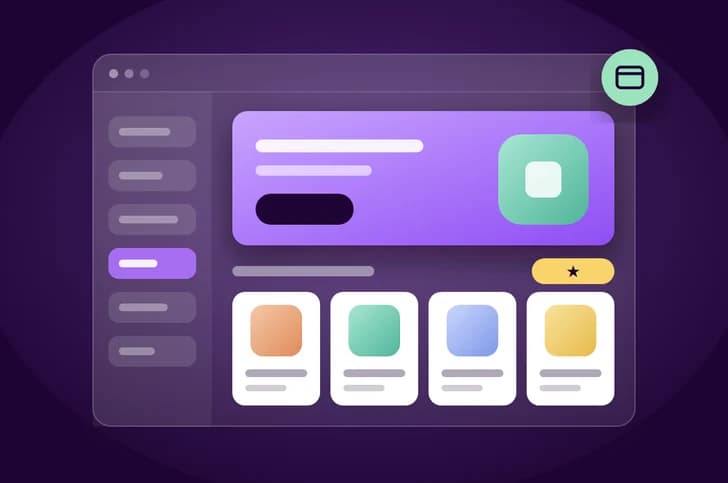
An embedded app runs inside the Zid Merchant Dashboard through an iframe. Merchants open and use your app without leaving the dashboard and without a separate login.
The docs list what partners get from this:
- Seamless integration: one unified experience for the merchant.
- More visibility: more exposure and engagement for your app.
- Simpler access: no separate logins.
- Loyalty: a smoother experience leads to higher satisfaction and longer use.
The authentication flow in six steps
Embedded apps skip the standard login. The flow has six mandatory steps:
- Merchant installs the app. Zid redirects to your Redirect URL with an authorization code. Your initial OAuth request must include the
embedded_apps_tokens_writescope. - Exchange the code for tokens. Save
access_token,authorizationandrefresh_tokenagainst the merchant'sstore_id. - Register a lookup token. Generate a UUID (version 4) on your server, store it with the merchant's tokens, and register it with Zid. Don't use the
authorizationJWT here: it's too long and gets truncated in the iframe URL. - Set the Application URL. In your developer dashboard, point it to a fixed endpoint that serves the iframe, for example
https://your-app.com/embedded. - Merchant opens the app. Zid loads your Application URL in an iframe and appends your UUID.
- Identify and render. Read the
tokenparameter, look up the UUID to get thestore_idand tokens, then render the page.
Registering the UUID in step 3:
curl -X POST 'https://api.zid.sa/v1/managers/embedded-apps-token' \
  --header 'Authorization: Bearer {{authorization}}' \
  --header 'x-manager-token: {{access_token}}' \
  --header 'Content-Type: application/json' \
  --data '{
      "token": "{{your_generated_uuid}}"
  }'
And what your Application URL receives in step 5:
GET /embedded?token={{your_generated_uuid}}&language=enRedirects, security and token cleanup
When your app finishes the OAuth flow, you can send the merchant straight to the app inside the dashboard:
https://dashboard.zid.sa/{language_code}/stores/{store_id}/apps/{app_id}/embedded{app_id} must be your real Zid app ID. Zid resolves the correct store and dashboard language from the merchant's session, so you don't need to detect the language yourself.
Zid enforces a Content Security Policy on embedded apps. Every page served in the iframe must send the CSP headers listed in the docs. Without the frame-ancestors directive, the dashboard blocks your iframe.
Common pitfalls from the docs:
- Give each store its own unique UUID, and generate a new one when a merchant reinstalls. The old one becomes stale.
- Use URL-safe tokens. UUIDs (hex plus hyphens) are safe.
- Keep
access_tokenandauthorizationon your server. Never expose them to the browser or the iframe HTML. - When a merchant uninstalls, delete their token with
DELETE https://api.zid.sa/v1/managers/embedded-apps-token.
Look native with Zid MUI
If you're building an embedded app, the docs recommend Zid MUI to keep your UI consistent with the Zid dashboard. It's a UI library built on the MUI design system and Zid's brand guidelines, with shared components, icons, hooks and theme utilities, and RTL support out of the box.
There are two ways to use it:
- React: the full component library. Wrap your app in MUI's
ThemeProviderwiththemeParcel, then import components such asAppButtonandAppInputBase. - CSS only: for Vue, Angular or vanilla JS. Run
pnpm add @zidsa/zidmui, import the stylesheet, add the IBM Plex Sans Arabic font, and use classes such aszid-buttonandzid-input.
React install:
pnpm add @zidsa/zidmui react react-dom use-debounce @mui/material @mui/lab @emotion/styledYou can browse every component in the Zid MUI Storybook at ui.zid.sa.
Faster backends with the Zid SDKs
The Zid SDKs handle communication with Zid APIs for you, and they include predefined data models for API responses. That makes them a good fit for backend services, automation scripts and integrations.
- Python: available now, on GitHub at
zidsa/sdk-python, with a demo app atzidsa/demo-app-python. - Laravel and TypeScript: listed in the docs as coming soon.
React to what happens on the storefront
Many embedded apps also need to know what shoppers do in the store. With Custom Snippets, your app can inject JavaScript or CSS into every store where it's installed. Add them from your app's General Settings in the Partner Dashboard and submit them for review.
Your scripts can read global objects such as window.customer, window.customerAuthState and window.customerAsync, and respond to seven supported storefront events:
- Purchase, Product View, Add to Cart, Remove from Cart, and Start Checkout.
- View Item List and Select Item, both marked as new in the docs.
Key takeaways
- Embedded apps load in an iframe inside the merchant dashboard, with no separate login.
- Request the
embedded_apps_tokens_writescope, and register a UUID, never the JWT, as the lookup token. - Send the required CSP headers, including
frame-ancestors, on every page in the iframe. - Use Zid MUI for the UI, the Python SDK for your backend, and storefront events for shopper activity.
Start building on Zid
Sign up in the partner portal, then build and test on a development store.