Connecting to Zid with OAuth 2.0: tokens, headers and the activation policy
How Zid's authorization code flow works, which token goes in which header, when tokens expire, and what the activation policy expects from your app.
How OAuth works on Zid
Zid uses the OAuth 2.0 authorization code grant. The merchant is sent to Zid's authorization server, approves the permissions your app asks for, and your server exchanges the resulting code for tokens. Because that exchange needs your Client Secret, your app must run server-side.
You'll work with two base URLs:
- OAuth server:
https://oauth.zid.sa - API:
https://api.zid.sa/v1(v1 is the current version; older versions are deprecated)
The flow, step by step
- Redirect. Send the merchant's browser to
/oauth/authorizeon the OAuth server withclient_id,redirect_uriandresponse_type=code. - Consent. If the merchant isn't logged in, Zid asks them to log in. They then see the scopes your app requests and approve or decline.
- Callback. Zid sends a one-time authorization code to your callback.
- Token exchange. Your backend POSTs the code with your client credentials to
/oauth/token. The values go in the request body, not in query parameters. - Store. Save the returned tokens securely for future calls.
curl -X POST https://oauth.zid.sa/oauth/token \
     -d "grant_type=authorization_code" \
     -d "client_id=48" \
     -d "client_secret=LsswUNyWTjyKT9AsXnpsv3FnG4glSNZQ5SM3YRnD" \
     -d "redirect_uri=http://client.test/oauth/callback" \
     -d "code=your_authorization_code_here"
Zid publishes starter apps for Laravel and Node.js (Express) if you'd like a working reference.
Which token goes in which header
The token response contains access_token, Authorization, refresh_token and expires_in. Two of them go on every API call:
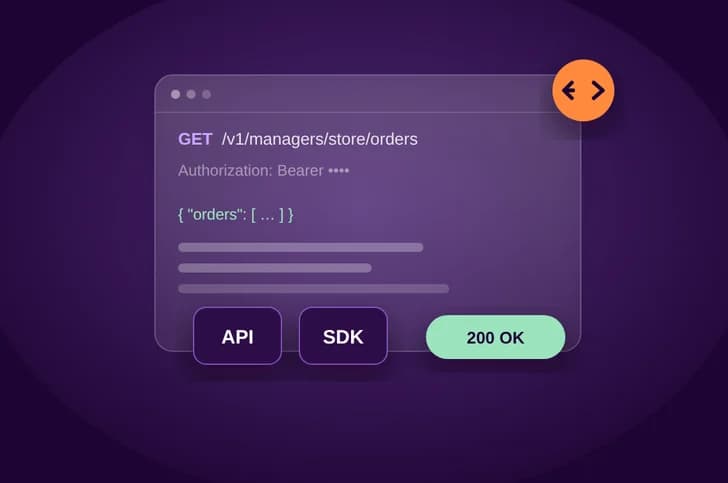
- Authorization: gives your app access to the Zid API. Send it as the
Authorizationheader with the Bearer prefix. - access_token: gives access to one specific store. Send it as the
X-Manager-Tokenheader.
Authorization: Bearer <Authorization token>
X-Manager-Token: <access_token>Access-Token header. It carries the same value as X-Manager-Token.Both tokens are sensitive. Keep them in secure server-side storage. The docs warn that abusing a token might get your app blocked.
Expiry, refresh and uninstall
The manager token expires after 1 year, and so does the refresh token. The docs recommend refreshing well before the year runs out, around the 10-month mark. To refresh, POST to /oauth/token with grant_type=refresh_token, the merchant's refresh_token, your client_id, client_secret and redirect_uri.
- A refresh token is single-use. Store the new one each time you refresh.
- If Zid reports that a refresh token is invalid, start OAuth again by having the merchant reactivate the app.
- When a merchant uninstalls your app, Zid sends a webhook for that event and your tokens stop working.
Scopes are chosen on your app page in the Partner Dashboard and reviewed when you submit. Request only what your app needs.
Errors and rate limits
- 401 Unauthorized: authentication is missing or has failed. Check your tokens.
- 403 Forbidden: the request was understood but refused. Check the scopes and permissions.
- 429 Too Many Requests: back off exponentially and retry.
- "The resource owner or authorization server denied the request": the help centre points to missing permissions or an app that isn't published on that store. Also check that the redirect URI matches in your redirect and callback steps.
Zid allows 60 requests per minute per application per store, using a leaky bucket algorithm. Don't poll repeatedly for order or payment status. Use webhooks instead.
The activation & OAuth policy
Zid's App Activation & OAuth Policy (updated 9 September 2026) applies to all new apps submitted to the App Market. Here are the key points:
- OAuth first. A standard app starts OAuth as soon as the merchant clicks Activate. Any plan payment happens through Zid beforehand, and the app must not ask for an extra partner-side payment. Account linking and onboarding come after OAuth.
- Partner-managed setup (prerequisites before OAuth) needs prior written approval from Zid. Being free or having no Zid plans doesn't grant it.
- Rejected flows: a signup or login gate before OAuth, sending merchants to a generic homepage, and asking merchants to paste tokens, secrets or passwords or to type a Store ID or store URL.
- Security: validate a random, one-time, short-lived
state. Use PKCE where supported. Exchange the code promptly and never log it. Keep tokens out of URLs, client-side storage, analytics and logs. - Lifecycle: handle denial and replayed attempts safely, avoid duplicate connections on reinstall, and stop processing after uninstall.
Key takeaways
- Zid uses the authorization code grant. Exchange the code server-side, sending the values in the request body.
- Send
Authorization: Bearer ...plusX-Manager-Token(theaccess_token) on every call. - Tokens last 1 year. Refresh before they expire and store each new single-use refresh token.
- New apps must start OAuth right after Activate and must never collect Zid secrets manually.
Sources
Start building on Zid
Sign up in the partner portal, then build and test on a development store.