Merchant reviews on the App Market and Theme Market: publish, reply and improve
Where to find merchant reviews in the Partner Dashboard, how to publish and reply to them, how to earn more reviews honestly, and how to turn feedback into fixes.
Where to find merchant reviews
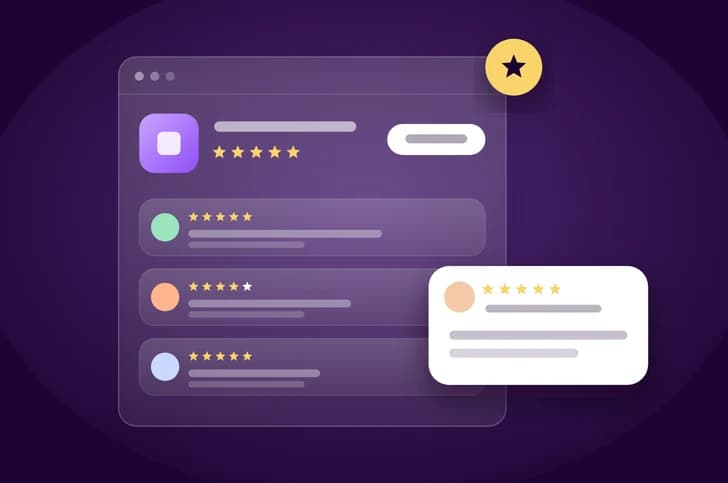
In September 2024 Zid added Merchant Reviews to the Partner Dashboard, covering both apps and themes. According to the announcement, it lets you:
- See the total ratings for each published app or theme.
- Read each review in detail, with store information and the date it was created.
- Understand why merchants uninstall your apps.
- Respond to merchant reviews directly from the Partner Dashboard.
The dashboard overview also shows Total ratings and Latest Ratings & Reviews in your app analytics, filterable by date range and app or theme type.
Publishing is in your hands
The Public App Management article states that the review and approval of app ratings are managed by the partner. Here's how to get there:
- In the Partner Dashboard, open My Apps.
- Click View in the Merchant Reviews column for the app.
- The Rates & Reviews tab shows merchant feedback, and each review has a Publish button that approves it and makes it publicly visible.
- You may choose not to publish a review.
That control is a responsibility before it's a feature. A good practice is to publish useful critical reviews and reply to them: a merchant browsing your listing trusts a balanced picture more than a wall of five-star ratings.
partners.zid.sa, so button names may differ slightly from the steps in the help centre.How to reply to a review
You reply from the Partner Dashboard, and your reply isn't just for the reviewer: every merchant who visits your listing later reads it too. The following is general practice for a professional reply, not a published Zid rule:
- Thank the merchant and name the specific problem they described, instead of a generic copy-paste reply.
- If the problem is fixed, say so clearly and state what changed.
- Move technical details to your support channel, and never put store or customer data in a reply.
- Don't argue or cast doubt on the merchant publicly, even if misconfiguration was the cause; briefly explain the correct setup.
- Reply to positive reviews too, briefly and without marketing language.
Earning more reviews, honestly
Subscribe to app.market.application.rated in your app's Webhooks section. It's sent when a merchant submits a rating or review, and carries the store and plan details:
{
  "app_id": 1292,
  "store_id": 507530,
  "store_url": "https://wyatt.com.sa/",
  "status": "rated",
  "event_name": "app.market.application.rated",
  "plan_type": "Paid",
  "plan_id": 904
}
The published payload example doesn't include the review text or the star rating, so read the content in the Partner Dashboard and use the event to alert your team to reply quickly.
Zid's Support your customers article says exceptional support increases merchant satisfaction and leads to better reviews and higher sales. A good practice is to ask for a review after a clear moment of success, such as completed setup or a first tangible result, not right after install.
Themes: a clear manual protects your rating
On the Theme Market, support is entirely your responsibility: merchants submit requests through Report Theme, Zid reviews them and forwards valid tickets to you, and you're expected to respond and resolve within the agreed SLA. The Maintain Your Theme Support article lists aiming for 5-star reviews among its best practices.
The theme manual article ties the manual directly to ratings: a good manual means fewer tickets and better reviews, while a merchant who discovers a limit after an hour of trying "opens a ticket, or leaves a bad review". State requirements, limits and unsupported cases clearly, and update the manual with every release.
Turn feedback into fixes
- Collect reviews, uninstall reasons and support tickets in one place and tag them: activation, performance, missing feature, price, support.
- Rank the tags by frequency, starting with issues that appear in both reviews and uninstall reasons.
- Fix, then update your listing. Under the Published App Self-Editing update, you can edit the title, description, category and images directly, while changes to general settings and plans require review before they appear.
- Go back to the reviews about that issue and reply with what changed.
These steps are general feedback-management practice; the dashboard paths and the editing policy come from Zid's sources.
Key takeaways
- App and theme reviews, and your replies, are managed from Merchant Reviews in the Partner Dashboard.
- You approve and publish reviews, so publish useful criticism and reply to it rather than hiding it.
- Subscribe to
app.market.application.ratedto reply quickly, and read the text in the dashboard. - Good support and a clear manual earn better reviews than any review request.
Sources
Start building on Zid
Sign up in the partner portal, then build and test on a development store.