Partner Ads: buying placement in the App Market and Theme Market, and when it pays off
Where Partner Ads appear, who can buy them, how to prepare your listing first, and how to measure the result in the Partner Dashboard.
What Partner Ads are
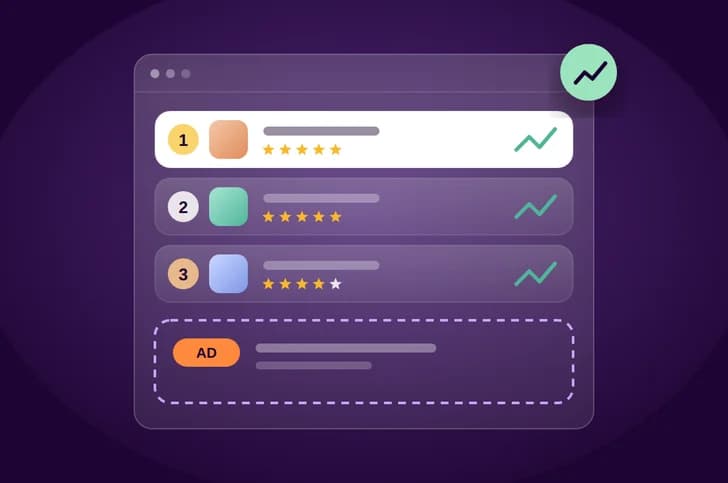
Ranking in the App Market and Theme Market runs through Partner Ads: you buy your position and time-boxed reach in published packages across Zid's merchant-facing channels.
Alongside paid ads, Zid's partner pages describe other marketing channels, such as content and webinars for merchants, seasonal campaigns, and joint campaigns for qualifying partners. Your chances of joining Zid campaigns rise as you deliver on quality and your excellence ratio improves.
Where your ad appears
The App Partners page lists the Zid merchant-facing channels the packages cover, inside and outside the market:
- Market results: a higher position in search and categories, right where merchants choose.
- Featured sections and market banners: prominent placement inside the merchant dashboard, such as the featured apps section.
- Targeted email and Zid's accounts: reach merchants outside the market too.
Every paid placement is labelled "Sponsored", so merchants know it is an ad. That's why the decision to install or buy still rests on what they find on your listing.
partnerads.zid.store, where you buy them. Check the store before you plan a budget, as prices and available placements can change.Who can buy: the green tier and the excellence ratio
Partner Ads are open to partners in the green tier. In the Theme Market, your tier is set by your excellence ratio, which appears on your card and detail page, and merchants can filter and sort by it.
For the Theme Market, the Theme Partners page spells out how the ratio works:
- Calculated from: theme stability, code quality, issue resolution speed, support level, compatibility, merchant ratings and complaint rate.
- Four levels: green, yellow, red and removal. They determine your visibility in the market, your pricing band and your access to Zid campaigns.
- The thresholds and full details are in the Theme Market commercial policy.
For the App Market, the App Partners page says every gain in performance and support lifts your reach and your chances of joining Zid campaigns. In other words, ads don't make up for quality, and quality is what opens the door to ads.
When ads make sense
The sources don't say when you should advertise, but a good practice is to treat ads as a multiplier on a listing that is already ready, not as a substitute for one:
- Advertise once your listing is convincing: merchants compare ratings and installs before they install, and a higher slot won't help if the listing doesn't persuade them.
- Tie the ad to a clear moment: a new feature, a season when merchants are preparing their campaigns, or a category where competition is heavy.
- Fix the product before buying reach: if the same uninstall reasons keep appearing, more traffic means more uninstalls.
- Set a target before you buy: for example installs, paid subscriptions or theme previews during the ad window, so you can judge the outcome.
Prepare your listing before you buy
The ad brings merchants to your listing, and the listing is what convinces them. Before you buy any package:
- Reviews: in My Apps, click View under the Merchant Reviews column. There you review merchant ratings, publish the ones you want shown with the Publish button, and read uninstall reasons in the Uninstall Reason tab.
- Screenshots: clear and uncluttered, cropped to remove desktop backgrounds and browser windows, with no annotation arrows or Zid logo, 1 to 10 images, each with a single point of focus.
- Short description: use keywords for your app's features in both languages so it shows up when merchants search for them.
- Description and video: lead with merchant benefits, include activation steps, and use an embedded YouTube URL.
- For themes: you can add one tag to your theme card, such as "Multiple presets". Tags that claim performance are approved by Zid before they appear.
Then raise your excellence ratio through what goes into it: stability, issue resolution speed and support level. That is what keeps you in the green tier in the first place.
Measure the result in the Partner Dashboard
The Partner Dashboard shows what you need to compare performance before, during and after an ad, and you can filter by date range:
- For apps: total income, subscriptions, ratings, installation analytics, trial versus paid subscriptions, latest installs, and latest ratings and reviews.
- For themes: total income, total previews, total activations and activation analytics, total purchases, and the purchase list.
- Subscription list: the status of each subscription and whether it recurs, with export to Excel.
A good practice is to compare two periods of equal length, one before the ad and one during it. Look at conversion, not just top-line numbers: did previews turn into purchases, and trials into paid subscriptions? Did new uninstall reasons appear after a wave of installs?
Key takeaways
- Ranking in the App Market and Theme Market runs through Partner Ads: time-boxed reach in published packages, with every paid placement labelled "Sponsored".
- Channels include market results, featured sections, banners, targeted email and Zid's accounts.
- Partner Ads are open to green-tier partners only; in the Theme Market, the tier is set by the excellence ratio merchants see and filter by.
- Get reviews, screenshots and descriptions ready before you buy, then compare Partner Dashboard metrics before and during the ad.
Sources
Start building on Zid
Sign up in the partner portal, then build and test on a development store.