Partner MCP: run your Zid partnership from Claude, Cursor or VS Code
Connect your AI tools to your Zid partner account and manage apps, plans, analytics, webhooks and payouts in plain language, with confirmation before every sensitive action.
Your partnership, one prompt away
Most of your day as a Zid partner happens in two places: your code editor and the Partner Dashboard. Partner MCP brings the second into the first. You connect Claude, Cursor or VS Code to your Zid partner account, then ask for what you need in plain language instead of clicking through screens.
Ask why merchants uninstalled your app last month, create a development store to test a fix, or pull the transactions behind your latest payout, all without leaving the tool you are already working in.
What you can do with it
Partner MCP covers the day-to-day work of running apps on the App Market:
- Apps: create an app, edit its listing, set permissions and embedded mode, and submit it for review.
- Plans and pricing: manage your plans, including a private plan for a specific merchant.
- Analytics: installs, subscriptions, ratings, installed stores, and uninstall reasons in the merchant's own words.
- Webhooks: read a sample payload before you write the handler, check the delivery log with failure reasons, send a test, and resend a failed event.
- Payouts: each payout and the transactions behind it, plus invoices and receipts.
- Development stores: create one, install your app on it, and run the full install cycle.
- And more: reviews, coupons, your team, and your partnership details.
A few prompts to show the idea:
- "Show me last month's uninstall reasons for my app."
- "Give me a sample payload for the order.create event."
- "Create a development store and install my app on it."
- "List the transactions behind my latest payout."
You stay in control
An assistant that can edit your listing or change pricing needs guardrails, and Partner MCP has two:
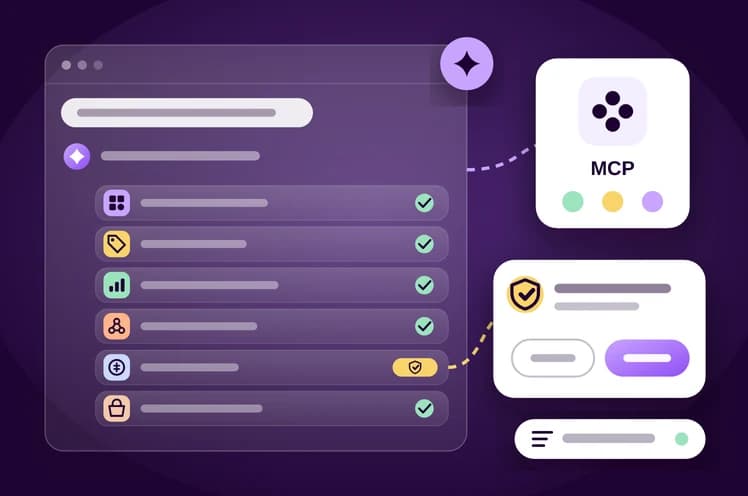
- Explicit confirmation. Every sensitive action waits for your approval before it runs, so the assistant describes the change and you decide.
- Activity log and revoke. You can review the connection's activity log at any time, and revoke the connection whenever you want.
Setting up the MCP connection
Zid's developer docs include an MCP guide, Our custom MCP server. The server it documents, zid-open-apis-mcp, lets your AI tool pull the Zid Payments Open APIs documentation and answer integration questions from it. For the Merchant API, point your tool at the docs pages themselves. The documented prerequisites:
- Node.js 18 or higher (the latest LTS is recommended).
- An IDE that supports MCP, such as Cursor, or VS Code with the Cline extension.
Add the server to your IDE's MCP servers JSON config:
{
  "mcpServers": {
    "zid-open-apis-mcp": {
      "command": "npx",
      "args": [
        "-y",
        "zid-open-apis-mcp"
      ]
    }
  }
}
To check it works, ask the AI in Agent mode something like: Based on the open apis doc, explain how merchant onboarding works. If the answer draws on the Open APIs documentation, you're connected.
Pair it with the Zid AI Agent Skill
The Zid AI Agent Skill is an open-source, Markdown-based skill for AI coding agents. It covers OAuth 2.0, multi-tenant token storage, Merchant API requests, error handling and rate limits, and it tells the agent to check the live Zid documentation before implementing an endpoint. The docs list Claude, Claude Code, opencode and other agents that support custom skills.
In Claude Code, run this from your project root:
# For the current project
git clone https://github.com/zidsa/zid-agent-skill.git .claude/skills/zid-api-integration

# Or globally, for every project
git clone https://github.com/zidsa/zid-agent-skill.git ~/.claude/skills/zid-api-integration
Then restart or reload Claude Code. In Claude, download the packaged .skill file from the Zid Agent Skill GitHub repository and add it through your workspace's custom-skills workflow. For opencode and other agents, copy the zid-api-integration folder into the directory the agent scans for skills.
The skill doesn't replace the MCP server. The skill guides how the agent designs and writes your integration, and the MCP server helps it fetch the right documentation during the task. The docs say you can use them together.
Key takeaways
- Partner MCP lets you manage apps, plans, analytics, webhooks, payouts and development stores from Claude, Cursor or VS Code.
- Every sensitive action needs your explicit confirmation, and you can review or revoke the connection at any time.
- The documented MCP server needs Node.js 18+ and a single JSON config entry.
- Add the open-source Zid AI Agent Skill so your coding agent follows Zid's real OAuth and API patterns.
Sources
Start building on Zid
Sign up in the partner portal, then build and test on a development store.